
Margin per day
margeparjour · v1.0.0
You see what a working day brings in before you accept the quote.
dolixdomaine · version 1.0.4
A customer changes its name: its addresses move to the new domain in a single operation.
€25 excl. VAT.
Ordering, payment, invoicing and download are handled by the DoliStore.
Your customer has changed its name and you have dozens of addresses to correct record by record.
A company you deal with is acquired, or changes its company name. All its addresses move from
@ancienne-entreprise.fr to @nouvelle-entreprise.fr. In Dolibarr, you have to open the third
party’s record, correct it, open each contact, correct it. For forty contacts, that is half a
day, and a typo goes unnoticed.
Who it is for: Any organisation where a customer, a supplier or a group of members has changed domain name: acquisition, change of company name, merger, email migration.
This section appears on all 12 module pages, without exception.
The module replaces the part after the @ sign in the email addresses of third parties and their contacts. Optionally, it also handles members.
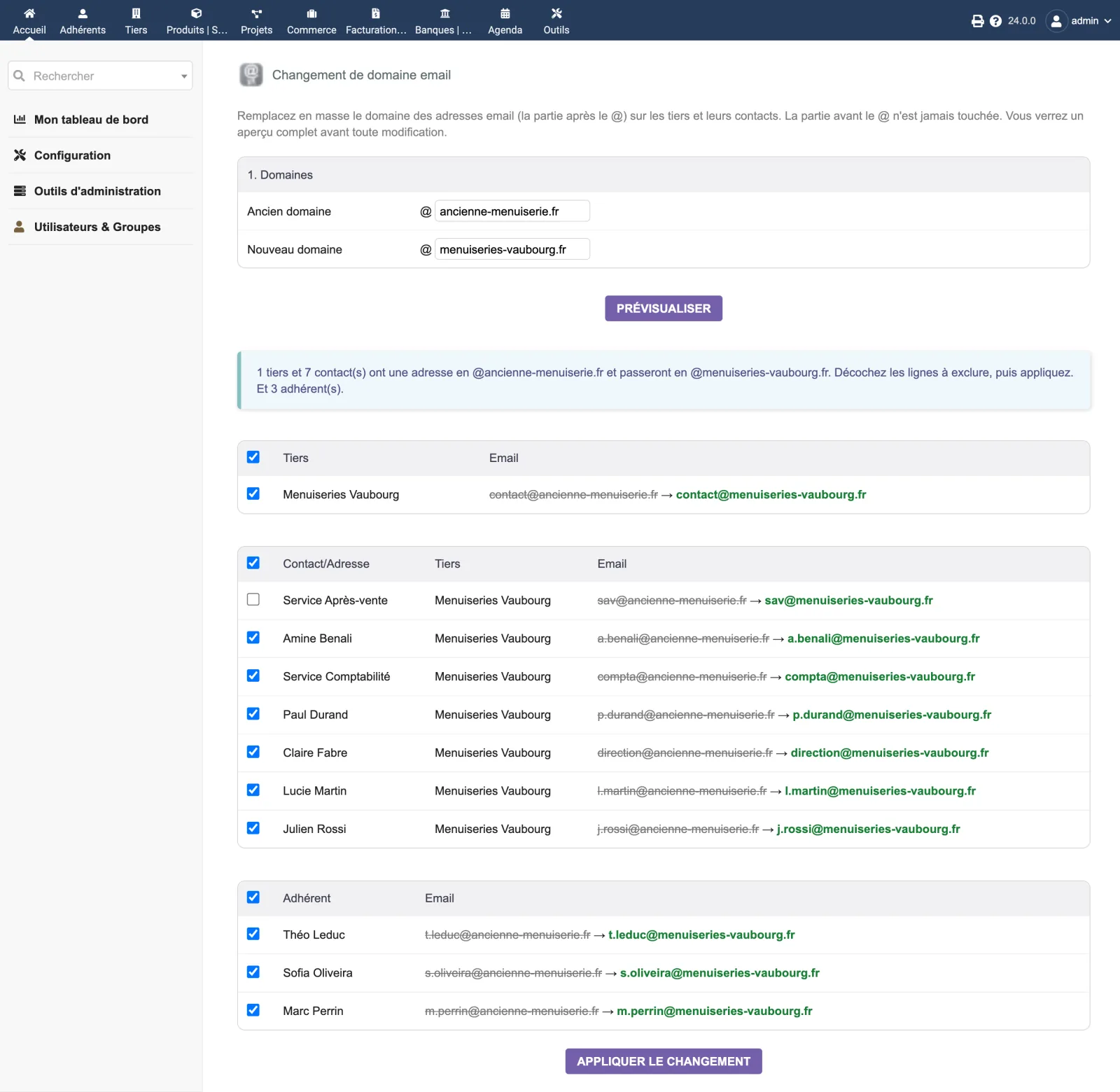
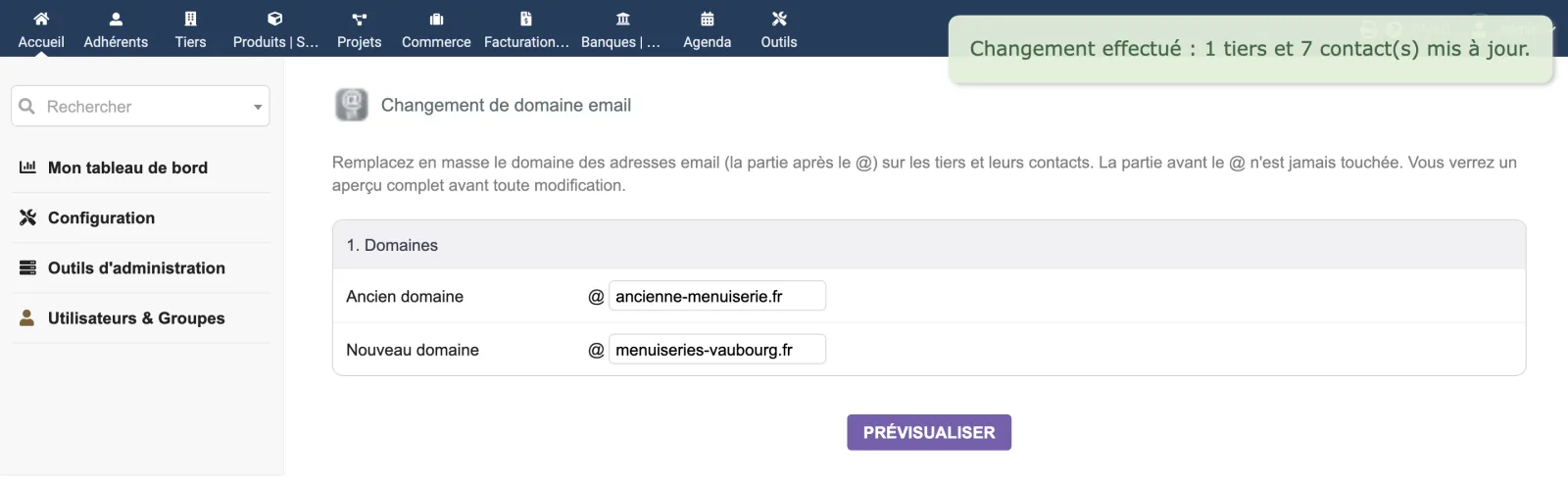
You enter the old and the new domain, without the @ sign. The module lists every record whose address ends with the old domain, and shows for each one the old address struck through, followed by the new one. You untick what you want to exclude, then you apply.
The part before the @ sign is never changed. paul.durand@ancienne.fr becomes
paul.durand@nouvelle.fr, never anything else.
The screen fits on one page, under Third partiesChange an email domain.
At the top, two fields: old domain, new domain. The Preview button displays a banner such as “2 thirdparties and 2 contact(s) have an address at @nouvelle-entreprise.fr and will move to @groupe-exemple.com. Uncheck the rows to exclude, then apply.”
Below, two tables — third parties, then contacts — with, on each row, a ticked checkbox and the change shown in plain text. The Apply the change button asks for confirmation before writing.
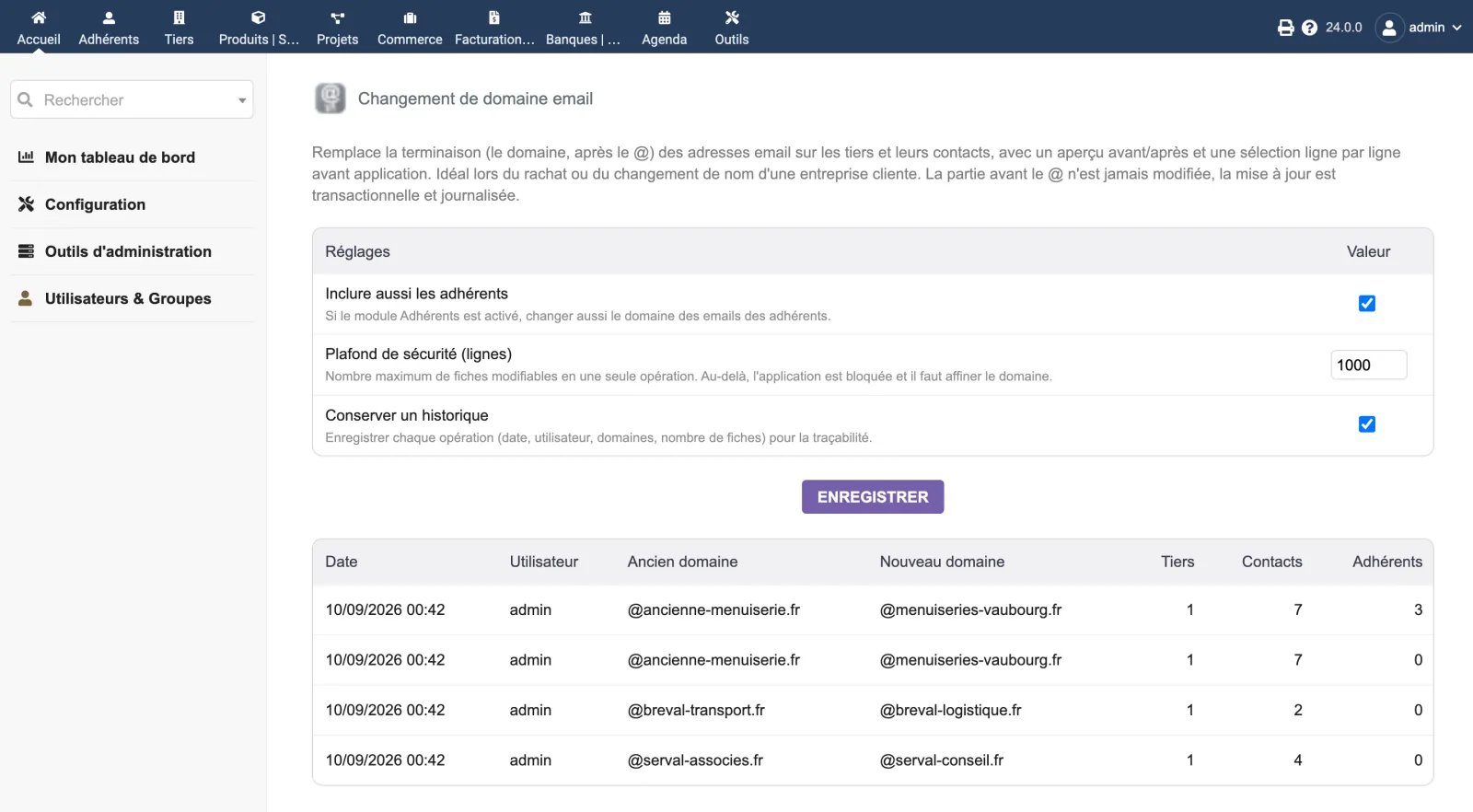
The module’s setup page brings together the three settings and the history of operations already carried out.
The module’s setup page offers three settings.
| Setting | Default | Effect |
|---|---|---|
| Also include members | disabled | Also handles members’ addresses, if the Members module is enabled. |
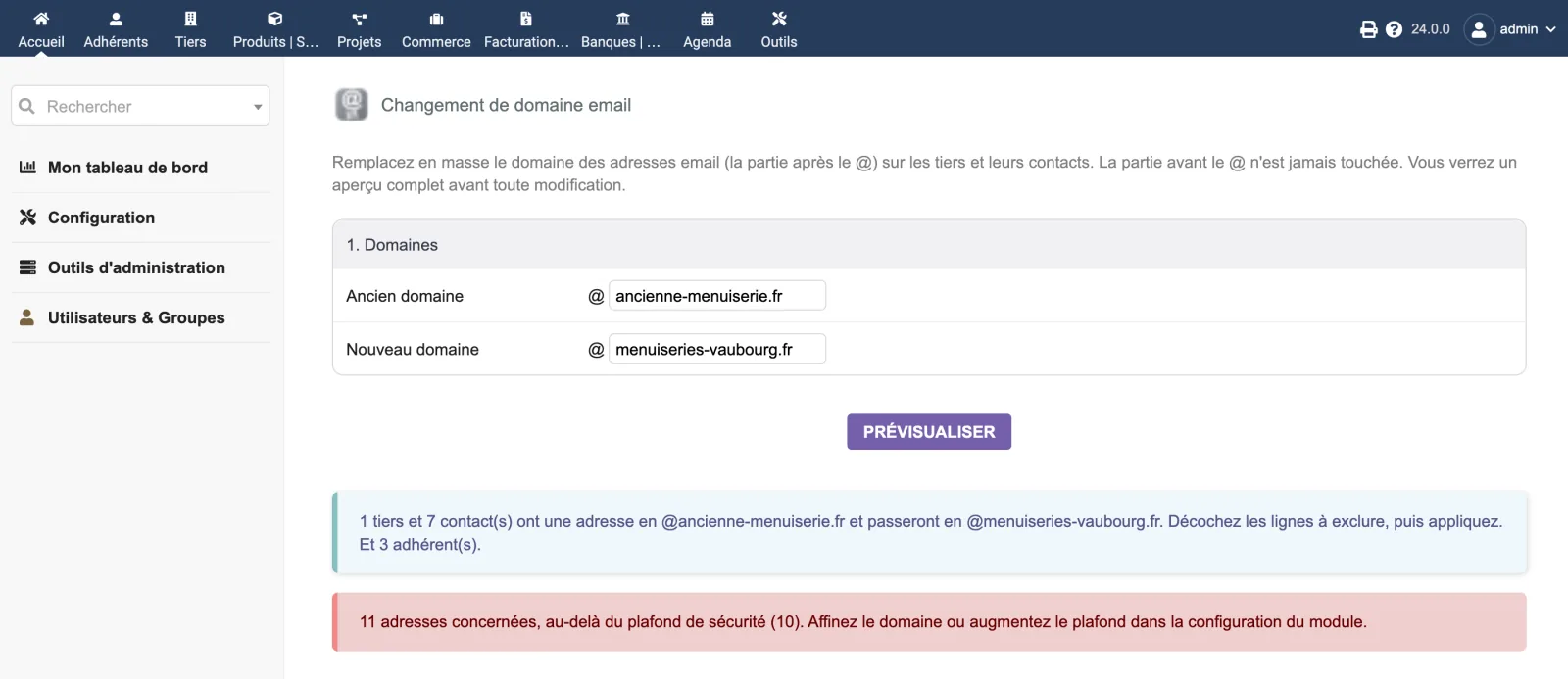
| Safety cap (rows) | 1 000 | Above this number of records concerned, applying is blocked and you must narrow the domain. |
| Keep a history | enabled | Logs each operation: date, user, domains, number of records. |
| Database tables created | One table: llx_dolixdomaine_log. It records the history of operations (date, user, old domain, new domain, number of third parties, contacts and members changed, entity). No business data is stored in it. |
|---|---|
| Permissions | One permission: “Use the email domain changer”. Without this permission, the screen cannot be accessed and the menu does not appear. |
| Uninstalling |
|
llx_dolixdomaine_log. It only contains the history of
operations — date, user, old and new domain, number of records, entity. No business data is
copied into it.The module descriptor only declares a minimum version. No upper bound is written in the code: the versions below are those on which the module has actually been run.
| Dolibarr versions | Dolibarr 19.0 minimum. Installed and run on 23.0.4 and 24.0.0. |
|---|---|
| Minimum PHP | 7.4 |
| Dolibarr modules to enable | Third Parties |
| Licence | GPL v3 or later, full source code |
| Languages | French, English |
| Menu | Third parties menu“Change an email domain”. |
The details — permissions on the custom folder, shared hosting, upgrades, uninstalling — are on the page Installation and upgrades.
The descriptor requires Dolibarr 19.0 minimum and PHP 7.4 minimum. The screenshots were taken on 24.0.0. If you are on an older version and have any doubt, write before buying.
Yes, that is the purpose of the module: it writes the new email addresses of the records you left ticked. It also adds a table, llx_dolixdomaine_log, which only contains the history of operations. No other column in your database is changed.
Nothing is saved. The updates are made in a transaction: at the first error, the whole thing is cancelled and a message reports it. Before writing, the module re-checks on the server that each address still matches the old domain.
The menu disappears. The corrected addresses stay corrected. The history table and the settings remain in the database: you can delete them yourself if you wish.
The person who wrote the module. Write to support@dolix.fr with your Dolibarr version, the module version and what you are seeing.
Ordering, payment, the invoice and the download are handled by the DoliStore. New versions are published there, and the version history on this page is updated with each release.
Taken from the module’s ChangeLog.md file: a single source.
1.0.410 September 2026
Display fix: the closing message read “… mis à jour. et 3 adhérent(s)” (… updated. and 3 member(s)), a lowercase “et” (and) after a full stop. The message is now written as a single sentence.
1.0.310 September 2026
Technical: the anti-CSRF token check function now has a name prefixed by the module, so that a function of the same name added to Dolibarr one day cannot prevent the page from opening. An empty token is explicitly refused.
1.0.210 September 2026
Fix: the setup screen returned a 500 error on saving, because Dolibarr's settings-writing function was called without its library being loaded. Settings now save normally.
1.0.19 September 2026
Security fix: an external user, that is an account linked to a third party, now only sees and changes its own record and its contacts, both in the preview and when applying.
1.0.09 September 2026
First version: bulk change of the email domain on third parties and contacts, with preview, selection and transactional update.
Write to support@dolix.fr. The person who wrote the module is the one who replies.
Reply within two working days. This is not an on-call service.
To include in your message
This module is on sale on the DoliStore.
Ordering, payment, invoicing and download are handled by the DoliStore.
margeparjour · v1.0.0
You see what a working day brings in before you accept the quote.

dolixmasse · v1.0.4
You change a field across a series of records without writing an SQL query.

dolixtaches · v1.0.3
A task was created in the wrong project: you move it, with its subtasks, its time spent and its documents.

dolixdoublons · v1.1.3
You find records entered twice and merge them: third parties, contacts and members.

dolixprix · v1.1.1
Your draft quotes and template invoices pick up the catalogue prices, one by one or all at once.

dolixapproche · v1.0.1
You spread freight, customs and the other costs of a shipment over the cost of products and their weighted average price.

dolixresteafacturer · v1.0.1
You see what remains to be invoiced on each customer order, line by line, in quantity and in amount excluding tax.

dolixmaj · v1.0.2
Before upgrading Dolibarr, you know what will block, what will break and what to do first. The module changes nothing.

dolixtva · v1.0.0
The mandatory VAT statement is printed on your invoices by itself: small business exemption, intra-Community supply, reverse charge, export.

dolixjustif · v1.0.0
The expense report PDF also contains its receipts, photos and PDFs, page by page: one single document to hand over.

dolixportemonnaie · v1.0.0
Your customers or members pay an amount in advance, and TakePOS spends it at each visit to the till, until it runs out.