
Email domain changer
dolixdomaine · v1.0.4
A customer changes its name: its addresses move to the new domain in a single operation.
margeparjour · version 1.0.0
You see what a working day brings in before you accept the quote.
€19 excl. VAT.
Ordering, payment, invoicing and download are handled by the DoliStore.
You accept a job without knowing whether it brings in more or less than another one of the same duration.
Two quotes, two similar amounts. The first takes one day, the second three. Dolibarr gives you the total margin of each quote, but not the margin relative to the duration. So you decide without the figure that matters: what the day really brings in.
Who it is for: Any business that sells time together with supplies and wants to compare two quotes of the same duration: tradespeople, engineering consultancies, service providers.
This section appears on all 12 module pages, without exception.
The module adds a “Planned days” field on the quote card. It divides the total margin of the lines by that number and shows the result in two places: on the quote card, and in a sortable column of the quote list.
The margin calculation is not reinvented: the module calls the Dolibarr core function that feeds the “Margins” block of the card. The figures shown are therefore the same as the ones you already read, labour included as long as the Services module is enabled and cost prices are filled in on the lines.
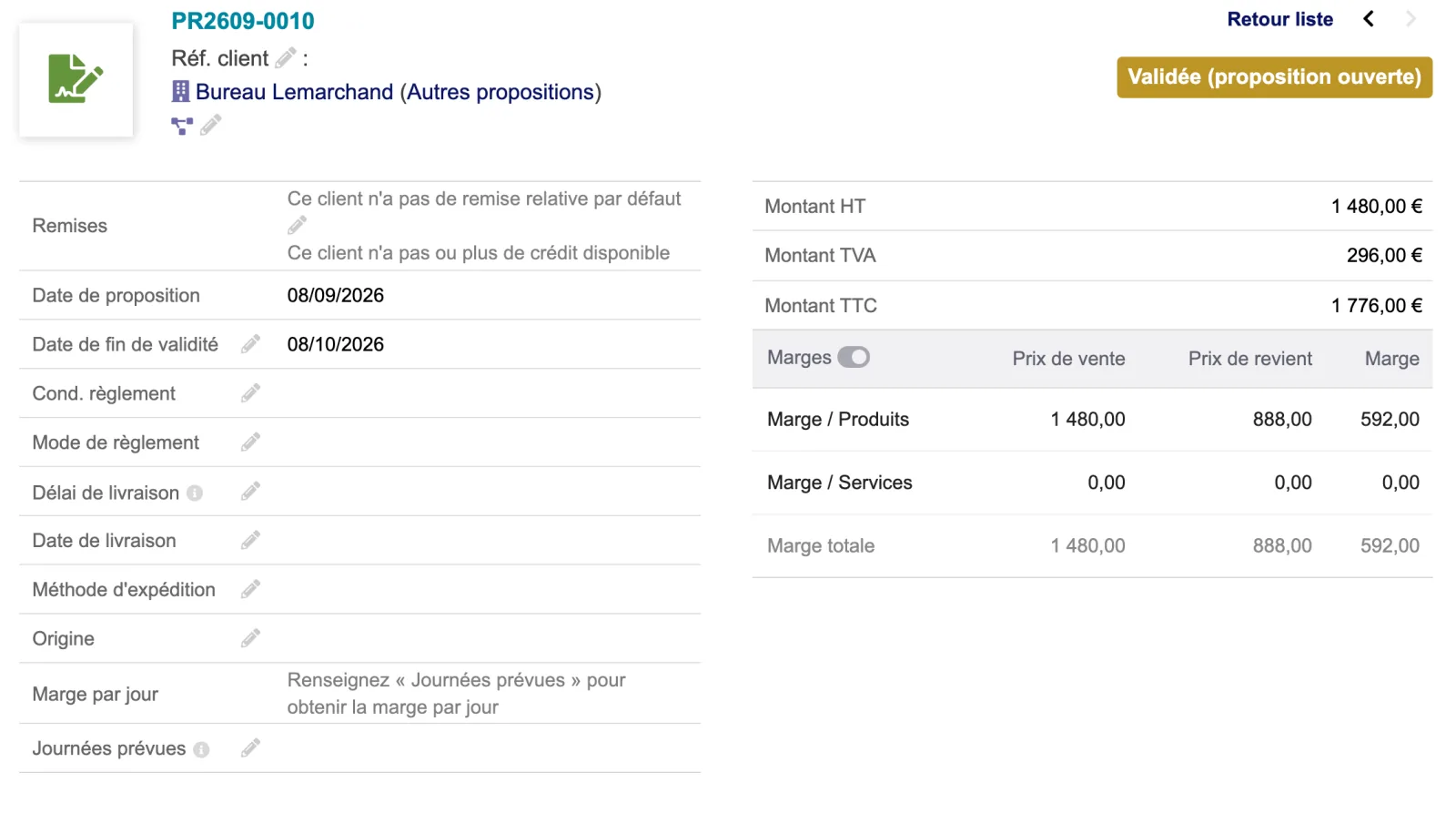
As long as “Planned days” is empty, the card shows “Fill in ‘Planned days’ to get the margin per day” rather than a figure that would mean nothing.
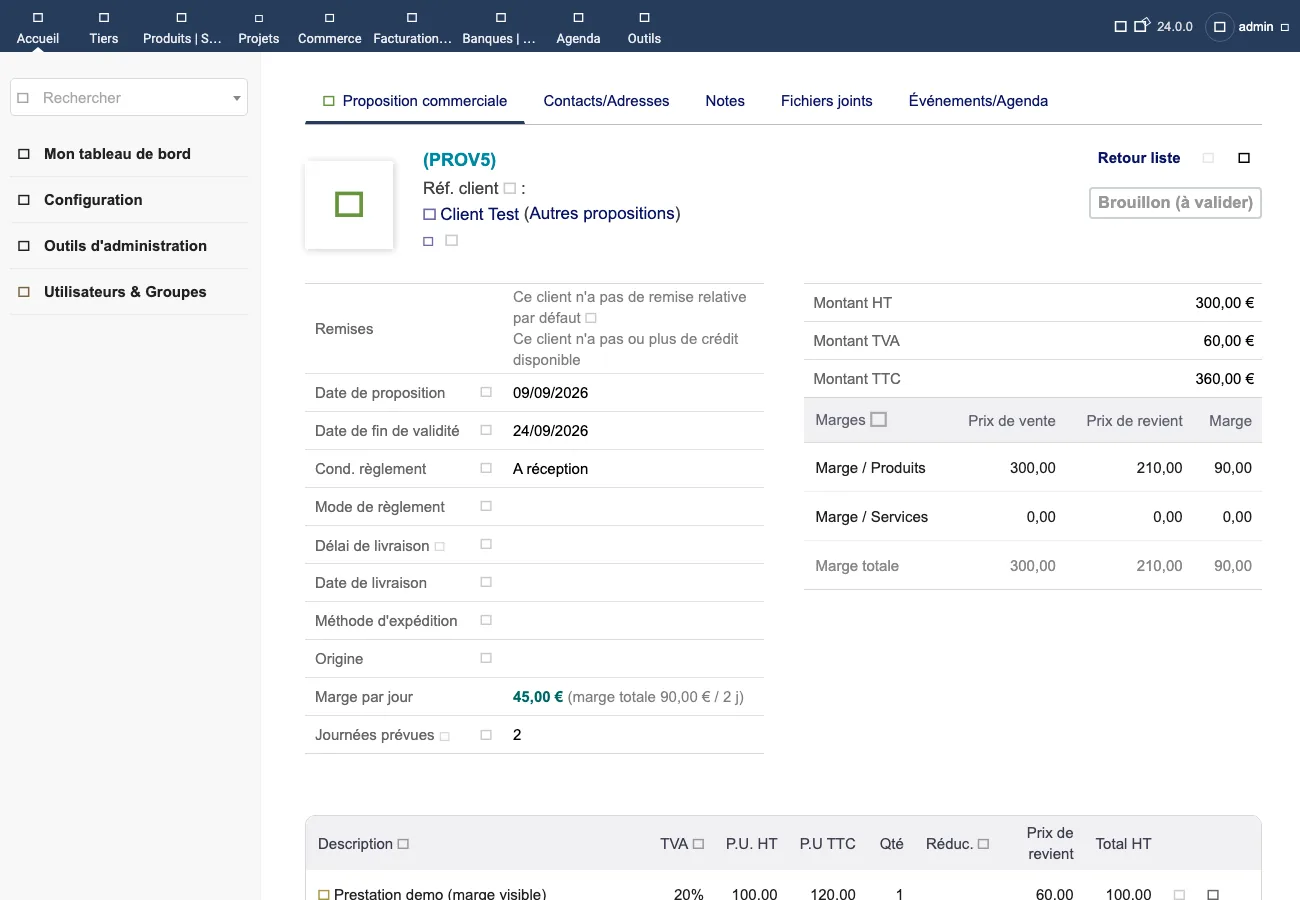
On the quote card. The “Margin per day” line sits with the other header information. In the
screenshot, a €300 excl. VAT quote on Dolibarr 24.0.0 shows
45,00 € (marge totale 90,00 € / 2 j), and the official “Margins” block does show €90.00 of
total margin, on the right of the same screen.
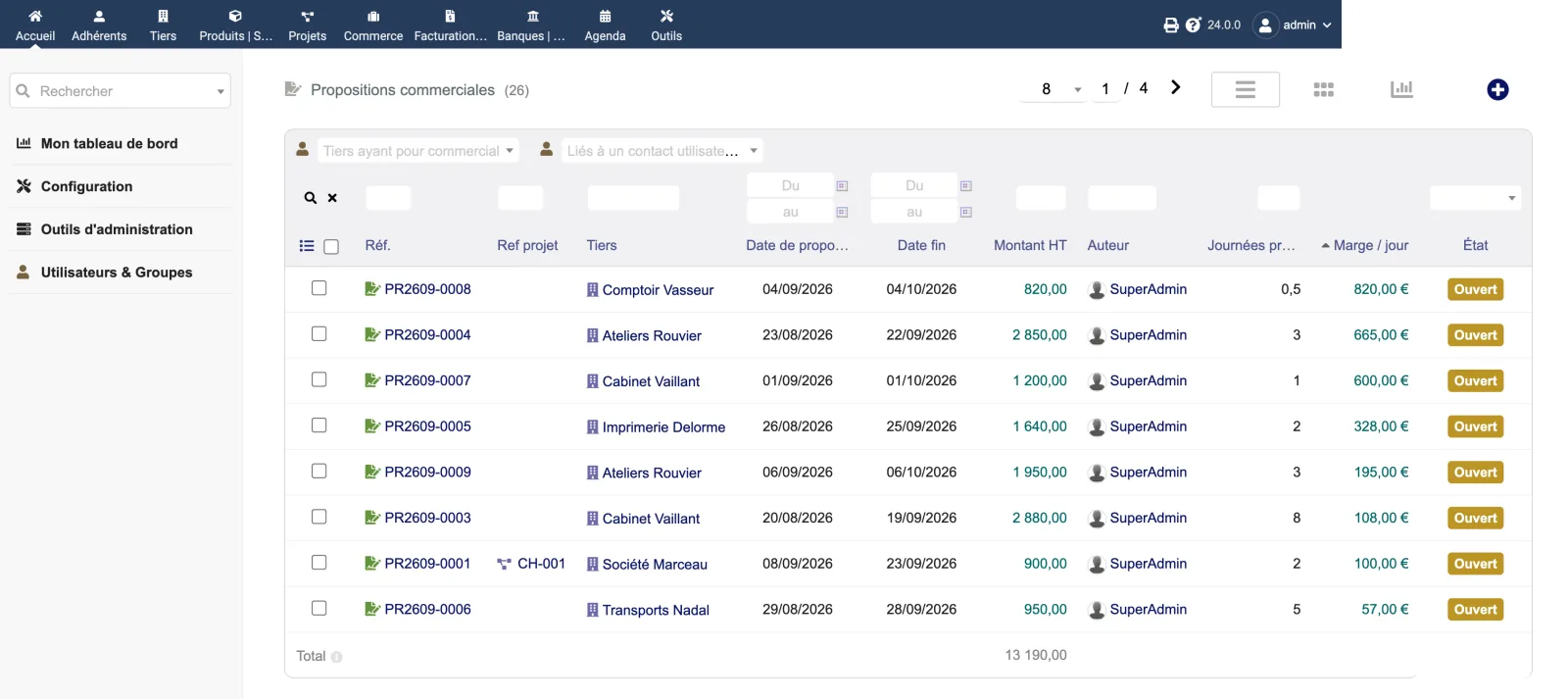
In the quote list. Two columns are added on the right of the table: “Planned days” and “Margin / day”. The second sorts like any native column, which lets you rank the jobs in progress by how much they earn per unit of time.
| Database tables created | No table. The module folder does not contain a sql/ directory. On activation, the module creates a “Planned days” complementary attribute (code mpj_journees) on commercial proposals: the value is stored in the quotes' complementary attributes table, already present in Dolibarr. |
|---|---|
| Permissions | The descriptor declares rights = array(): the module adds no permission. The “Margin per day” line is visible to anyone who can open the quote. |
| Uninstalling |
|
margeparjour folder, in clear: nothing is encrypted, nothing is obfuscated.README.md file and a ChangeLog.md.sql/ directory.mpj_journees. Its value is stored
in the complementary attributes table that Dolibarr already manages.The module descriptor only declares a minimum version. No upper bound is written in the code: the versions below are those on which the module has actually been run.
| Dolibarr versions | Dolibarr 19.0 minimum. Run on 19.0.4, 23.0.4 and 24.0.0. |
|---|---|
| Minimum PHP | 7.4 |
| Dolibarr modules to enable | Commercial proposals |
| Licence | GPL v3 or later, full source code |
| Languages | French, English |
| Menu | No menu entry. The module shows up on the quote card and in the quote list. |
The details — permissions on the custom folder, shared hosting, upgrades, uninstalling — are on the page Installation and upgrades.
The descriptor requires Dolibarr 19.0 minimum and PHP 7.4 minimum. The module has been run on 19.0.4, 23.0.4 and 24.0.0. It uses only one core function, FormMargin::getMarginInfosArray, present across that whole range. If you are on an intermediate version and have a doubt, write before buying.
The module creates no table. It adds a “Planned days” complementary attribute on quotes, that is, a column in the complementary attributes table that Dolibarr already manages. It does not change any existing data: it reads the quote lines and displays a calculation.
Disabling the module makes the line and the column disappear. The “Planned days” attribute and the values entered remain: you find them again if you re-enable it. To delete them, you have to remove the mpj_journees attribute by hand in the setup of the Proposals module.
Yes, it is the same calculation: the module calls the core function that feeds that block. One consequence worth knowing: if the Services module is not enabled, the “Margins” block does not show the services line, and so not your labour. Enable it to see the full margin.
The person who wrote the module. Write to support@dolix.fr with your Dolibarr version, the module version and what you are seeing.
Ordering, payment, the invoice and the download are handled by the DoliStore. New versions are published there, and the version history on this page is updated with each release.
Taken from the module’s ChangeLog.md file: a single source.
1.0.08 September 2026
First version: “Planned days” field on quotes, margin per day on the card and as a sortable column in the list.
Write to support@dolix.fr. The person who wrote the module is the one who replies.
Reply within two working days. This is not an on-call service.
To include in your message
This module is on sale on the DoliStore.
Ordering, payment, invoicing and download are handled by the DoliStore.
dolixdomaine · v1.0.4
A customer changes its name: its addresses move to the new domain in a single operation.

dolixmasse · v1.0.4
You change a field across a series of records without writing an SQL query.

dolixtaches · v1.0.3
A task was created in the wrong project: you move it, with its subtasks, its time spent and its documents.

dolixdoublons · v1.1.3
You find records entered twice and merge them: third parties, contacts and members.

dolixprix · v1.1.1
Your draft quotes and template invoices pick up the catalogue prices, one by one or all at once.

dolixapproche · v1.0.1
You spread freight, customs and the other costs of a shipment over the cost of products and their weighted average price.

dolixresteafacturer · v1.0.1
You see what remains to be invoiced on each customer order, line by line, in quantity and in amount excluding tax.

dolixmaj · v1.0.2
Before upgrading Dolibarr, you know what will block, what will break and what to do first. The module changes nothing.

dolixtva · v1.0.0
The mandatory VAT statement is printed on your invoices by itself: small business exemption, intra-Community supply, reverse charge, export.

dolixjustif · v1.0.0
The expense report PDF also contains its receipts, photos and PDFs, page by page: one single document to hand over.

dolixportemonnaie · v1.0.0
Your customers or members pay an amount in advance, and TakePOS spends it at each visit to the till, until it runs out.